
Microsoft D365
What is the D365 Tax Engine?
The D365 Tax Calculation service is a fully configurable engine embedded in the Globalization Studio workspace. It enhances tax determination and calculation supporting rules, formulas, and applicability matrices, so taxes are calculated accurately across transactions (sales, purchasing, transfers) and legal entities.
Benefits (and Why It Matters in the GCC)
- Automation & Accuracy: Replace manual tax work with rule-driven calculations that reduce errors and speed posting, settlement, and reporting.
- Configurable for Local Rules: Use tax codes, applicability matrices, and formulas that fit GCC VAT scenarios and multijurisdiction operations.
- Globalization Studio Integration: Centralize setup and lifecycle management (nocode/lowcode), keeping localization content current as rules evolve.
- Multientity & Multiregistration Support: Handle multiple VAT registrations per legal entity—common in regional structures.
Setup (StepbyStep)
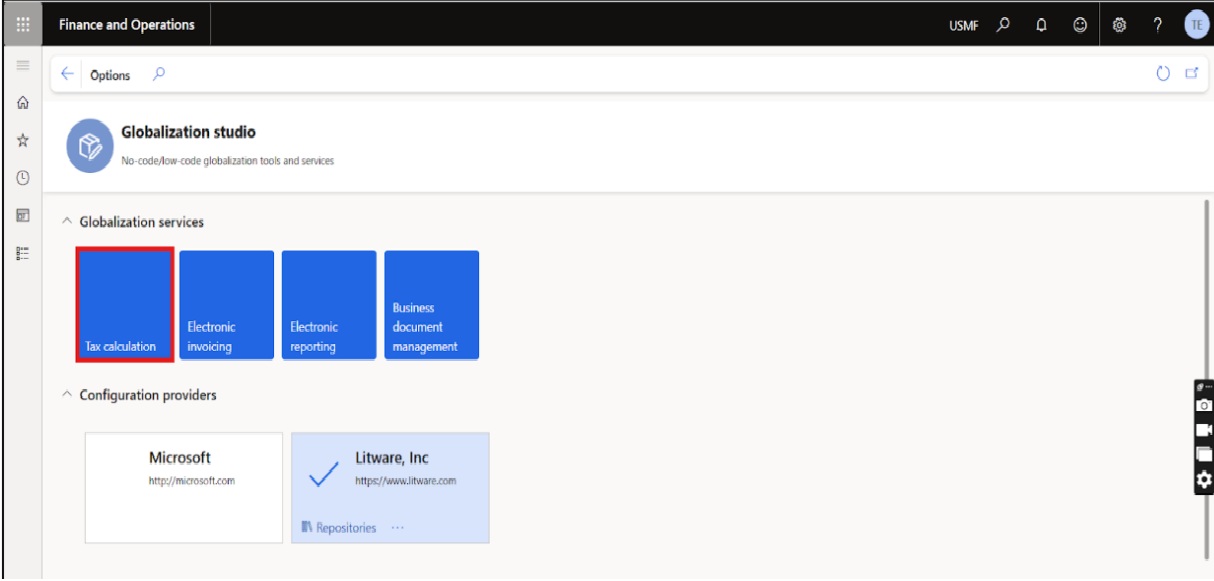
Workspace: Workspaces → Globalization Studio → Tax calculation
1) Globalization Studio
Globalization Studio is your command center for localization features (Tax Calculation, EInvoicing, ER). It provides Microsoftmaintained, multicountry content and tools to build or extend your tax setup without code.
2) Tax Calculation Feature Setup
Create a Tax Calculation feature, then select the configuration version that matches your Finance/Supply Chain app version. When setup is finalized, change the Feature version status to Completed so it can be used in transactions.
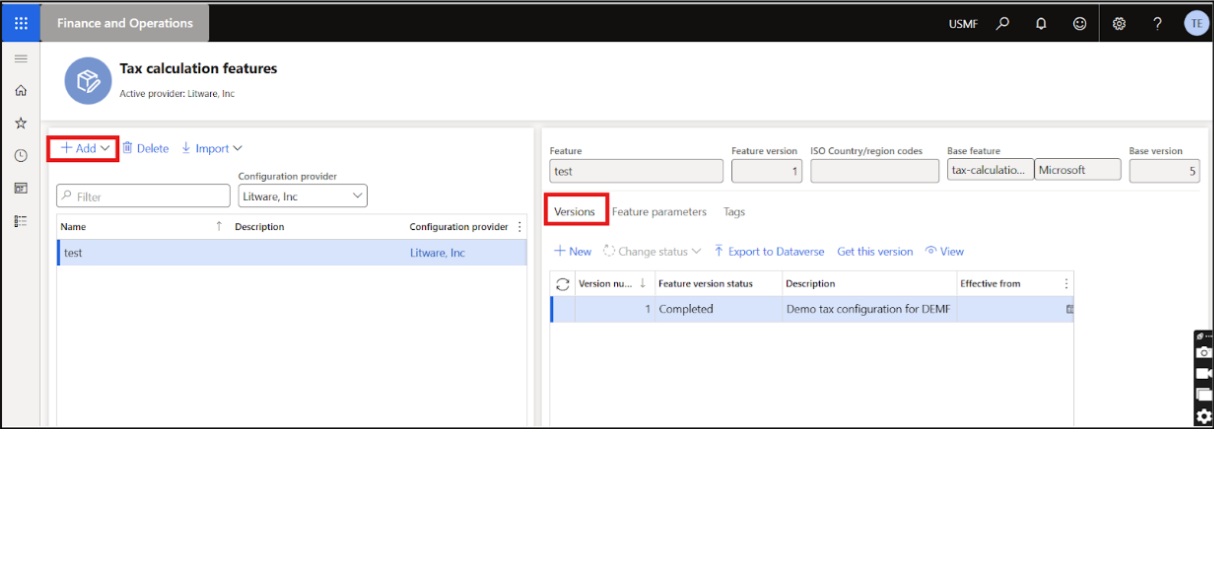
After Editing the Tax feature
3) Tax Codes & Percentage Amount Setup
- Add tax codes (e.g., VAT rates) and set the calculation origin (By net, By gross, By quantity, etc.).
- Define rates (percentage/amount) and effective dates. These tax codes are legalentityagnostic within Globalization Studio and synchronize back to Finance when advanced tax calculation is enabled.
.jpg)
4) Tax Group Setup & Item Tax Group Setup
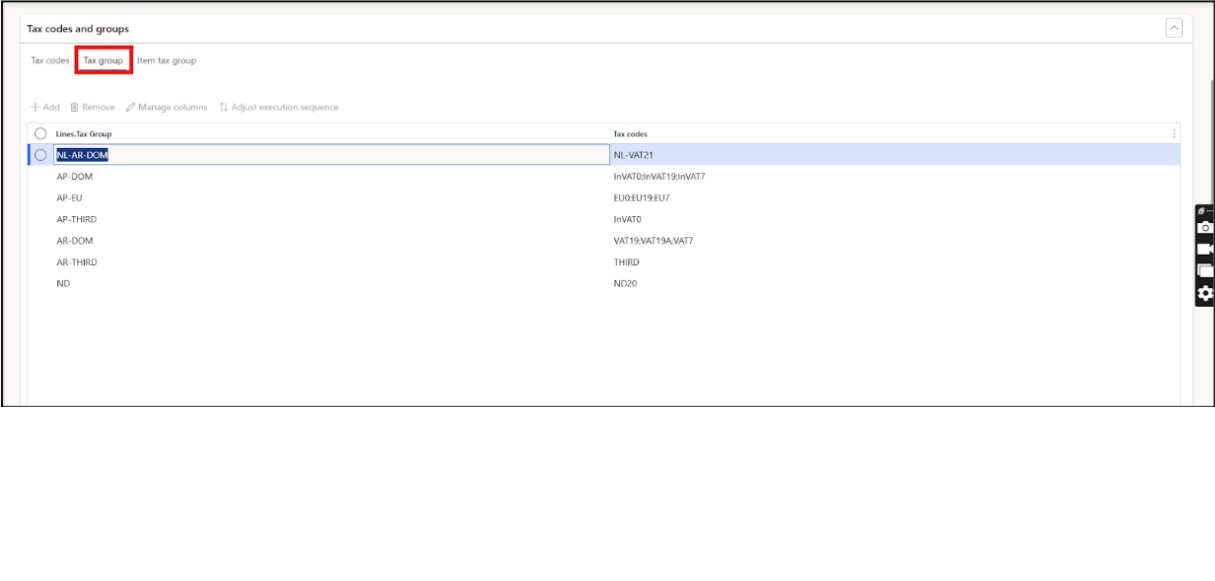
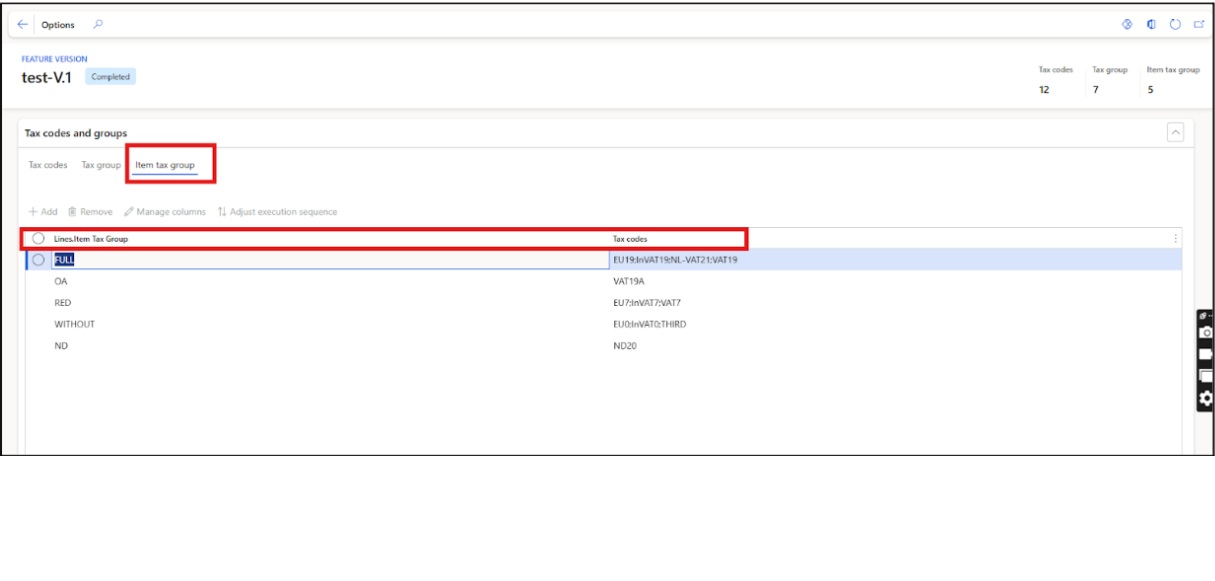
Set up tax groups (attached to customers/vendors/parties) and item tax groups (attached to items/resources). Taxes applied to a transaction are the intersection of codes present in both groups. If you’re configuring directly in Finance, you can also create/maintain sales tax groups and item sales tax groups via Tax → Indirect taxes → Sales tax.
New Way: With the new service, you can maintain tax groups centrally in Globalization Studio; when the Tax feature is selected in Tax calculation parameters, settings are synchronized.
5) Applicability Rule Setup
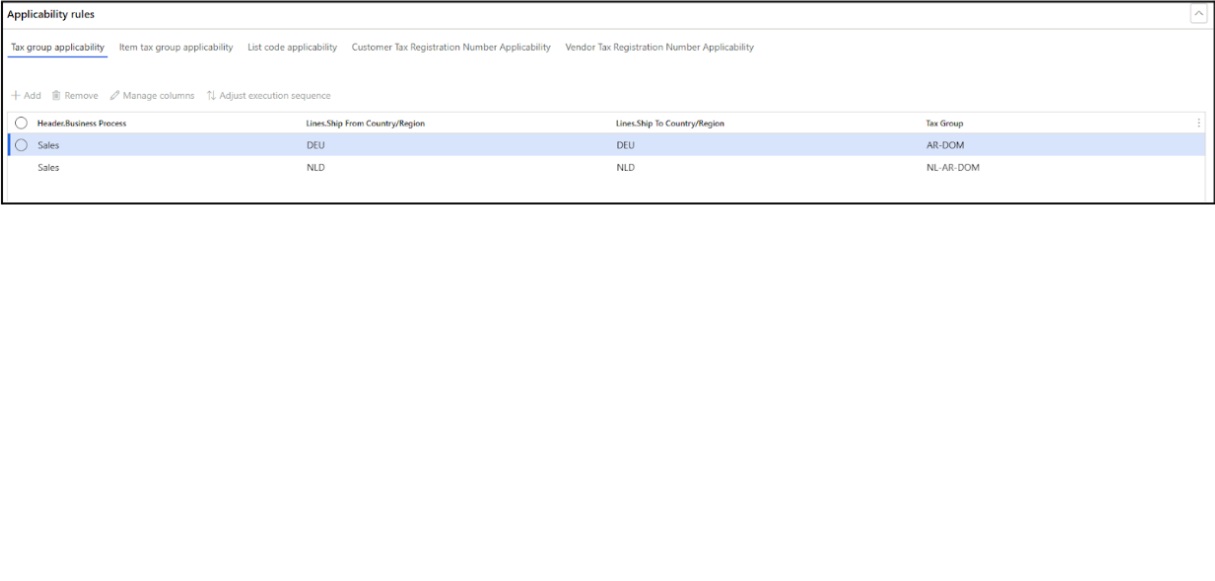
Use Tax Group Applicability and Item Tax Group Applicability matrices to override defaults based on transaction attributes (e.g., customer/vendor, item, and delivery terms), ensuring the system selects the correct groups dynamically. For GCC locationsensitive cases, you can extend configurations and look up master data to include address fields (such as postal/ZIP codes) as rule conditions helpful when emirate or governoratelevel rules matter.
GCC Reporting: Returns require emiratelevel reporting based on place of supply—reinforcing the need for addressbased logic during tax determination whether to go for reverse mechanism or standard tax calculation (Local).
6) Activate the Tax Feature
Enable advanced tax calculation for your legal entity in Tax calculation parameters; this activates synchronization of tax codes and allows Finance to call the Tax Calculation service during transactions.
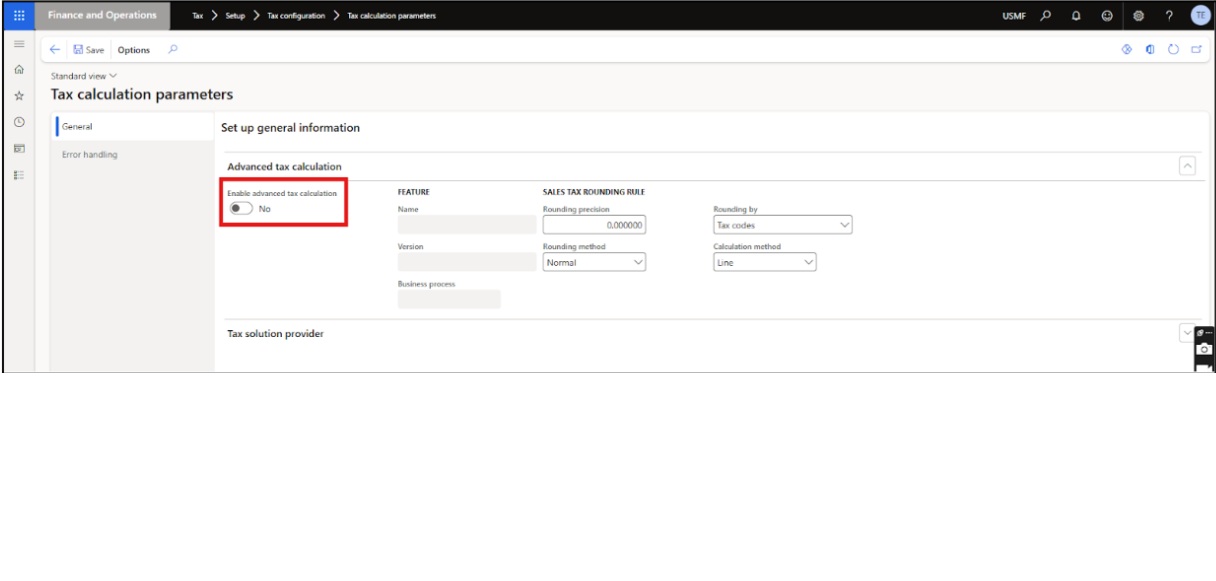
In Finance, go to Tax configuration → Tax calculation parameters and select the Tax feature setup version (the version you marked Completed in Globalization Studio). This links the legal entity to the right configuration for runtime calculations.
Introduction of author:
Ahmed Zafar is a Microsoft Certified Consultant specializing in Dynamics 365 Finance and Supply Chain Management. He has experience helping organizations improve financial operations and supply chain processes by implementing and optimizing D365 solutions aligned with business needs.

Get In Touch


Let's Talk Business
